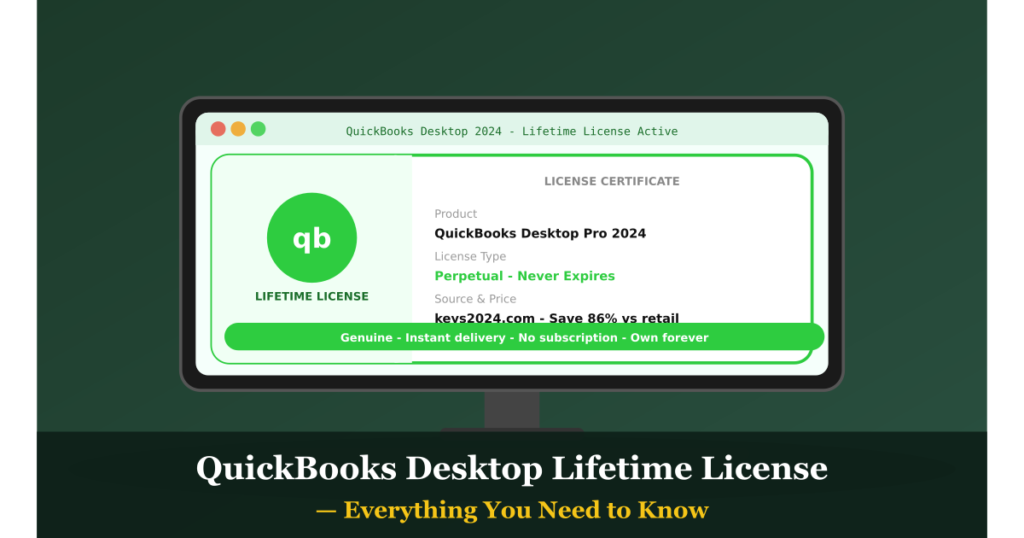
A QuickBooks Desktop lifetime license — also called a perpetual license — is the gold standard for business owners who want to own their accounting software outright, without ever paying a recurring subscription fee. In this complete guide, we cover what a lifetime license is, how it works, what it includes, and where to get one in 2026.
What Is a QuickBooks Desktop Lifetime License?
A lifetime license (or perpetual license) means you purchase QuickBooks Desktop once and own it forever. Unlike Intuit’s subscription model — where you rent the software month-to-month or year-to-year — a perpetual license grants you permanent rights to use that specific version of the software indefinitely.
Key characteristics of a lifetime license:
- ✅ One-time payment — no renewals ever
- ✅ Software remains functional permanently
- ✅ Your data stays on your own computer — you’re in full control
- ✅ No internet connection required for daily operation
- ✅ Not subject to Intuit’s price increases or policy changes
QuickBooks Desktop Lifetime License vs. Subscription: The Real Cost
Let’s put real numbers to this comparison. Intuit’s QuickBooks Desktop Pro Plus subscription currently runs approximately $549/year.
- After 1 year: Subscription cost = $549 | Lifetime license = one-time fee (already paid)
- After 3 years: Subscription cost = $1,647 | Lifetime license = same one-time fee
- After 5 years: Subscription cost = $2,745 | Lifetime license = same one-time fee
- After 10 years: Subscription cost = $5,490 | Lifetime license = same one-time fee
The math speaks for itself. A genuine QuickBooks Desktop lifetime license from Keys2024.com — available at up to 86% off retail — pays for itself many times over in the first year alone.
What’s Included in a QuickBooks Desktop 2024 Lifetime License
A full QuickBooks Desktop Pro 2024 perpetual license includes:
- Core Accounting: Chart of accounts, journal entries, bank reconciliation
- Invoicing & AR: Create estimates, invoices, receipts, and payment reminders
- Expense & AP Management: Enter bills, write checks, manage vendors
- Banking: Import bank transactions, reconcile accounts, manage cash flow
- Reporting: 100+ built-in reports including P&L, Balance Sheet, Cash Flow
- Payroll Ready: Compatible with Intuit Payroll or third-party payroll services
- Inventory Basics: Track stock quantities, set reorder points (basic)
- Multi-Currency: Handle transactions in foreign currencies
- Data Import/Export: Excel, CSV, and IIF file support
- Up to 3 simultaneous users (Pro), 5 (Premier), or 30 (Enterprise)
Which Edition Should You Choose?
QuickBooks Desktop Pro 2024
Best for small businesses with 1–3 users. Covers all core accounting needs. Ideal for service businesses, consultants, and small retailers. Available at Keys2024.com.
QuickBooks Desktop Premier 2024
Supports up to 5 users and adds industry-specific features for contractors, manufacturers, nonprofits, retailers, and professional services. Includes more advanced reporting and forecasting tools. Available at Keys2024.com.
QuickBooks Desktop Enterprise 2024
For larger or growing businesses. Supports up to 30 users, advanced inventory with barcode scanning, FIFO costing, serial/lot tracking, and over 200 customizable reports. Available at Keys2024.com.
Is a QuickBooks Desktop Lifetime License Still Available in 2026?
Yes — but not through Intuit directly. Intuit stopped selling perpetual licenses through its own retail channels in 2023. However, authorized resellers like Keys2024.com continue to sell genuine perpetual licenses legally. This is the same as buying any second-hand or surplus software license — completely legal and fully activatable on Intuit’s servers.
How to Activate Your Lifetime License
Once you purchase from Keys2024.com, activation is straightforward:
- Receive your product key by email (within 3–5 minutes of purchase)
- Download the QuickBooks Desktop 2024 installer from Intuit’s official website
- Run the installer and enter your product and license numbers when prompted
- Complete online activation (requires a brief internet connection)
- Done — your license is now registered to you permanently
Does a Lifetime License Ever Expire?
The software itself never expires and continues to function indefinitely. What does change after Intuit’s 3-year product support window:
- Intuit may discontinue live technical support for that specific version
- New payroll tax table updates from Intuit may require upgrading (if you use Intuit Payroll)
- Some third-party integrations may eventually drop support for older versions
None of these affect the core software functionality. Many businesses run QuickBooks Desktop versions that are 4–7 years old with no issues at all.
Protecting Your Investment
To make the most of your lifetime license:
- Store your product key and license number in a safe, backed-up location
- Back up your QuickBooks company file regularly (external drive or cloud storage)
- Keep a copy of the installer file so you can reinstall on a new computer if needed
Where to Buy a QuickBooks Desktop Lifetime License
The most trusted source in 2026 is Keys2024.com. Every license is verified genuine, delivered within minutes, and backed by customer support. With savings of up to 86% off Intuit’s retail pricing, it’s the smartest way to own QuickBooks Desktop outright.
Don’t keep renting your accounting software. Get your QuickBooks Desktop lifetime license at Keys2024.com today — one payment, yours forever.